Intelligent scanning, real-time CVE analysis, and a fully local AI assistant —
turn raw network data into actionable security intelligence from your browser.
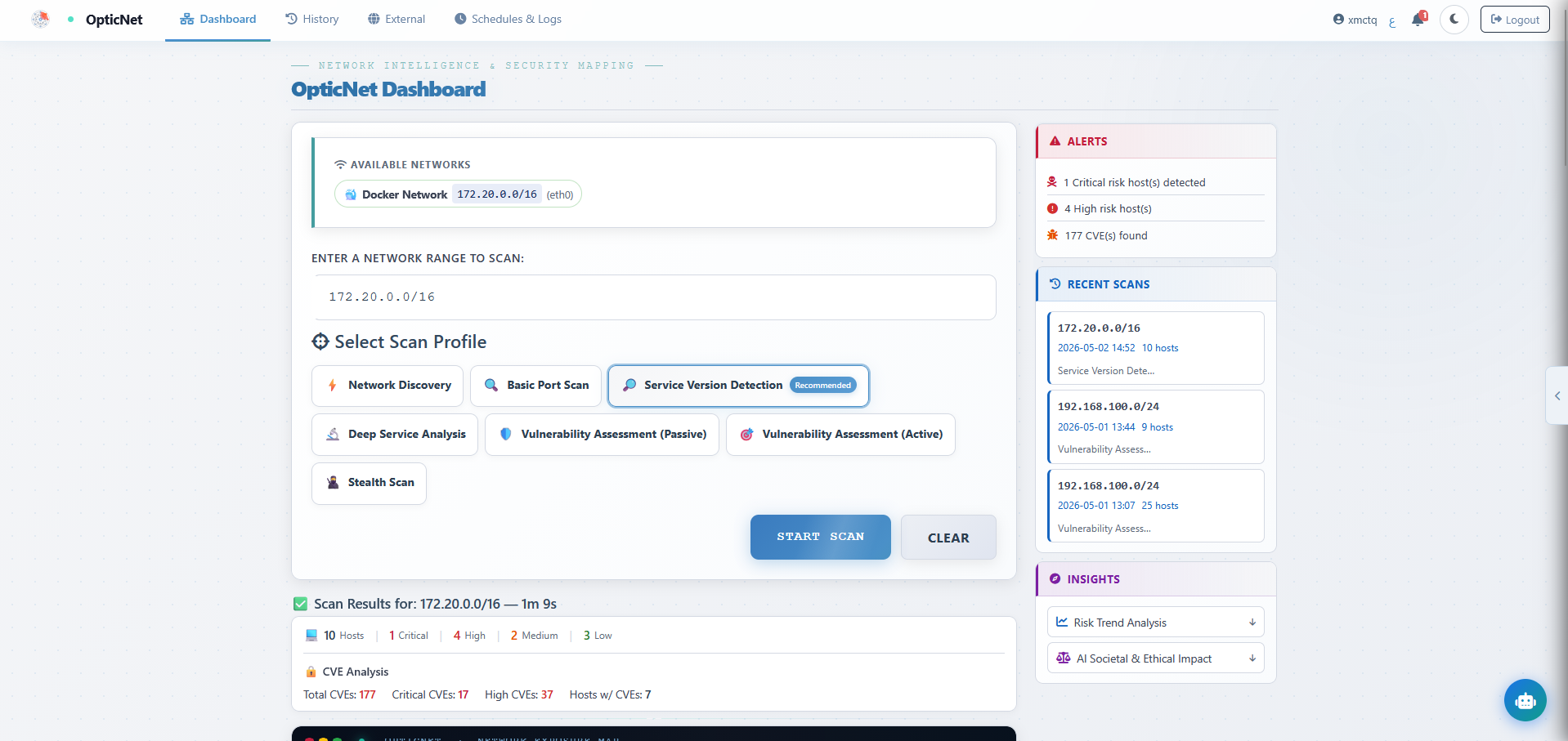
OpticNet is a full-stack web application that brings together network scanning, vulnerability analysis, and artificial intelligence into one unified platform. Point it at an IP, a CIDR range, or a domain — it handles the rest.
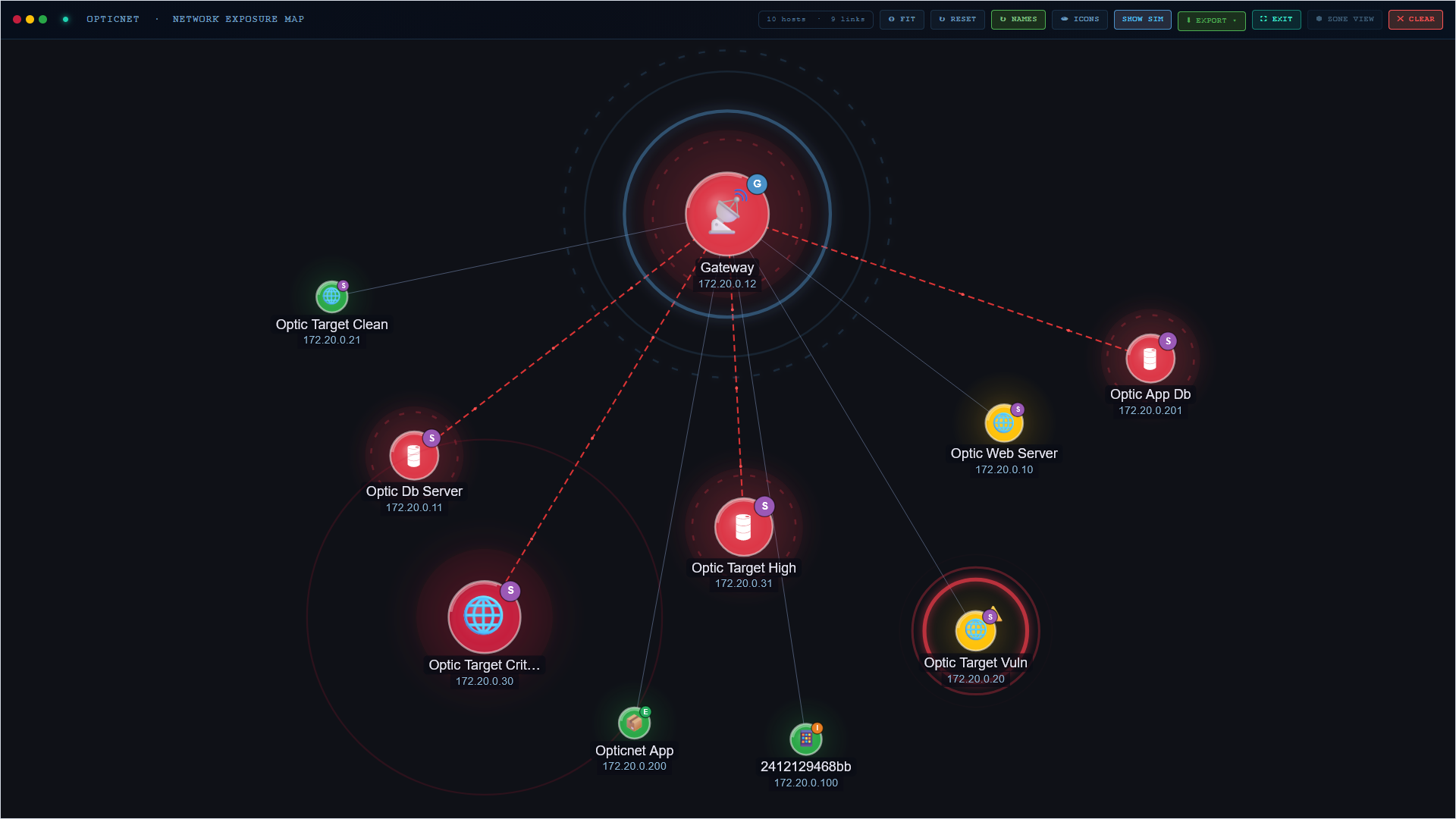
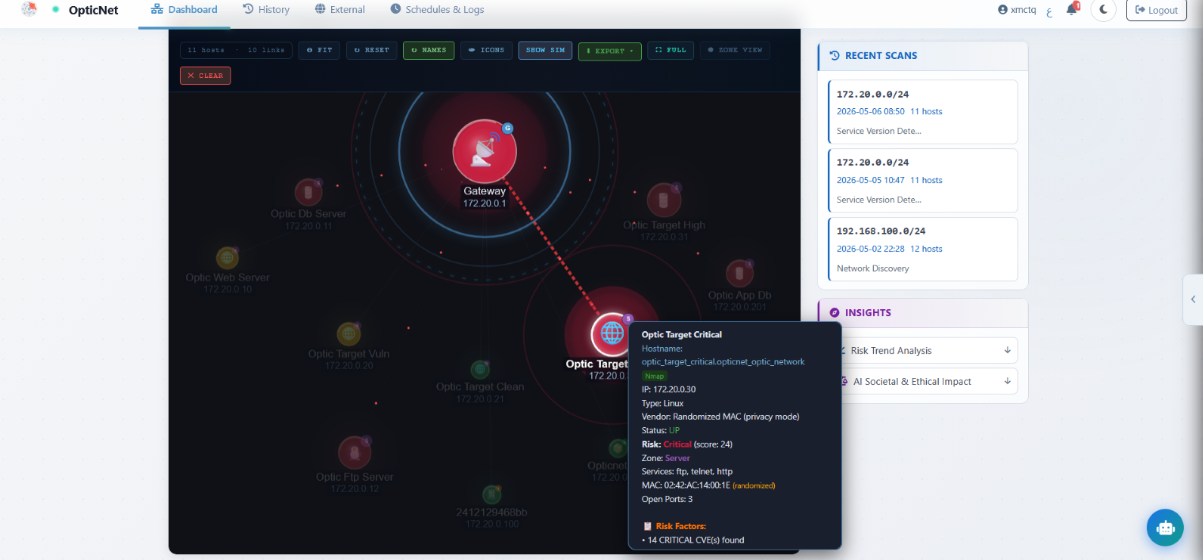
Results appear as an interactive force-directed graph where every host is a node, color-coded by risk severity, with live CVE scores from the National Vulnerability Database. You see your attack surface exactly as an attacker would.
The built-in AI assistant understands your scan results and answers questions in both English and Arabic — completely offline. No data ever leaves your machine.
The AI is at the core of OpticNet — not a bolt-on. It understands your network, your findings, and speaks your language.
Fully Local & Private
Powered by Ollama running on your machine. No API calls, no cloud, no data leaving your network. Your scan results stay completely private — the AI works entirely offline.
100% Offline · No Cloud
AI Assistant — OpticNet
What's the risk on host 192.168.1.5?
OpticNet AI
Host 192.168.1.5 is CRITICAL. CVE-2023-44487 (CVSS 7.5) on port 443 — patch immediately.
Show remediation steps in Arabic
Scan-Aware
Answers using your actual scan data — not generic advice.
Bilingual
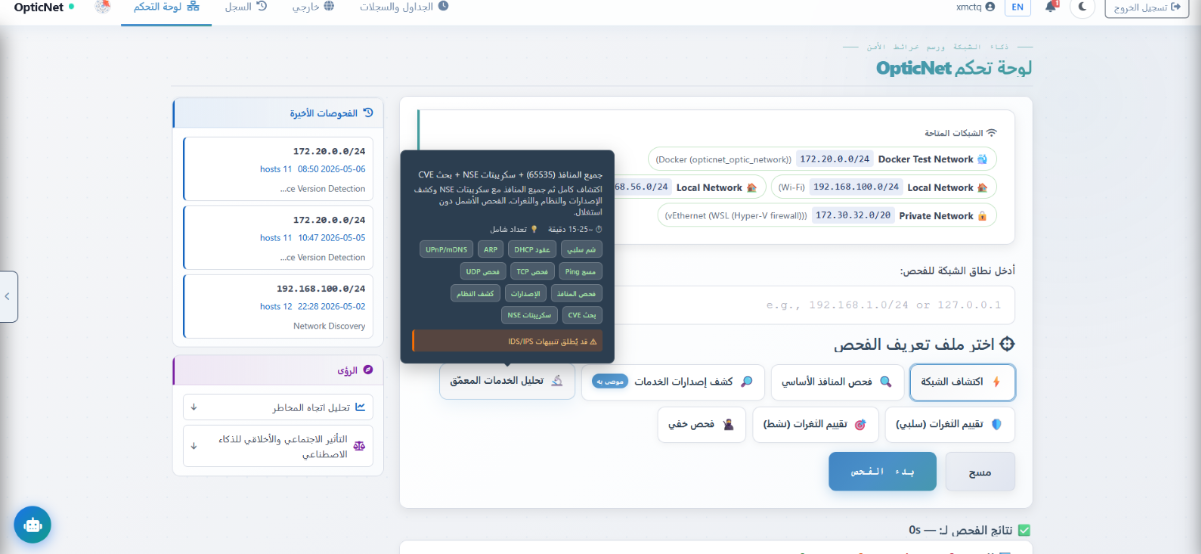
Full Arabic & English support with native RTL layout.
Multi-turn Chat
Full conversation history. Ask follow-ups. Drill into any CVE.
Page-Aware
Adapts to wherever you are in the app automatically.
Per-CVE Deep Analysis
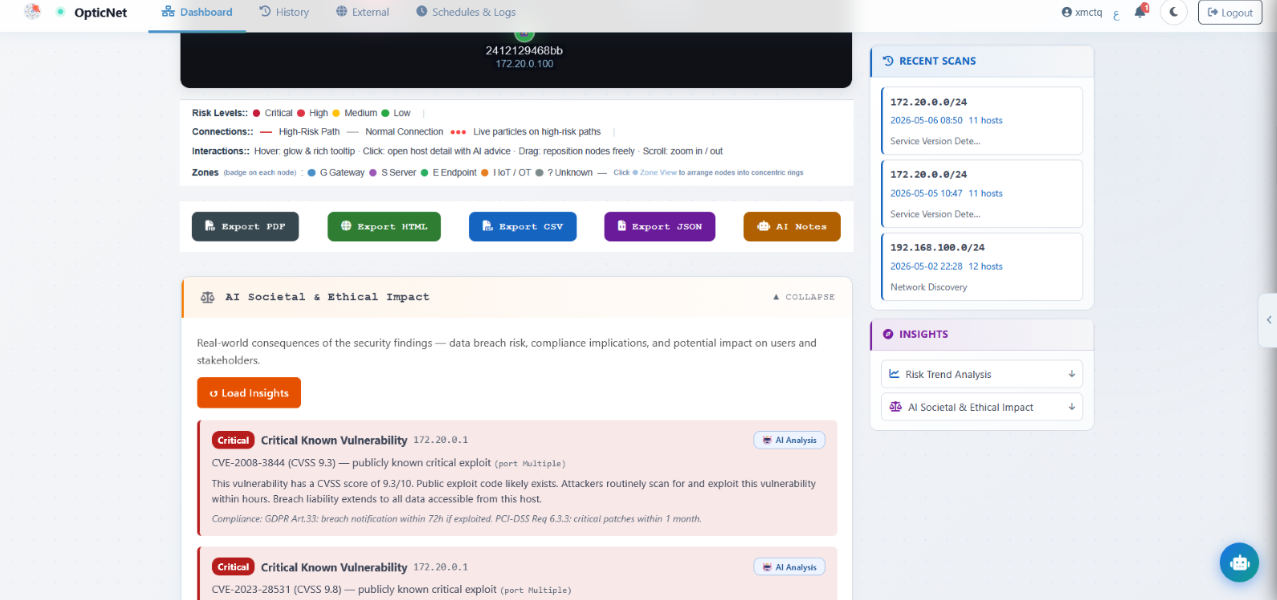
Every CVE row has an AI Analysis button. Get a plain-language breakdown: what it is, how exploitable it is against your specific host, and concrete remediation steps. Cached for instant repeat access.
Features
A complete security platform
From network recon to web app testing, risk simulation to encrypted history.
Network Scanning
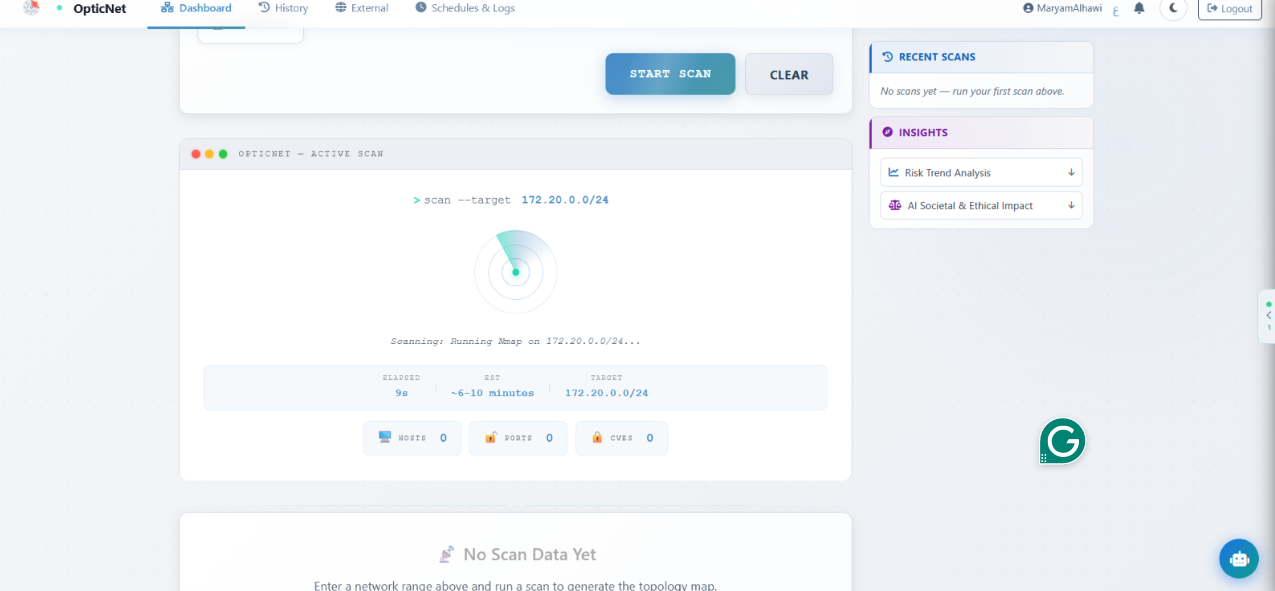
Scan IPs, CIDR ranges, or hostnames via Nmap. Detects hosts, ports, services, OS fingerprints, and device categories.
Web Vuln Scanning
Nikto for web server analysis and SQLMap for SQL injection testing.
External Recon
Subfinder for subdomain enumeration, Gobuster and ffuf for directory brute-forcing.
CVE Analysis
Every detected service cross-referenced with the NVD database live. CVSS scores per host.
Risk Graph
Force-directed graph, hosts color-coded by severity, organized by network zone.
Attack Simulation
Hop-by-hop attacker movement using MITRE ATT&CK with remediation commands.
Scheduled Scans
Create recurring scans on a cron schedule with automatic in-app notifications on completion.
History & Comparison
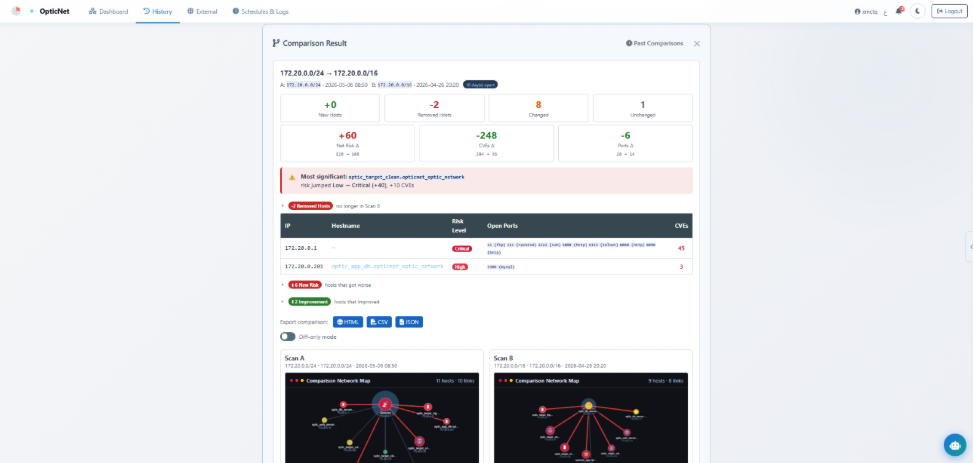
Every scan saved as an encrypted snapshot. Compare any two scans with a delta report.
Export & Reports
Export in PDF, HTML, JSON, or CSV. PDF reports include graph screenshots.
Docker Lab
Seven scannable containers: one hardened baseline and six intentionally vulnerable targets spanning web, FTP, SSH, MySQL, and known CVEs.
Encryption at Rest
Two-layer key hierarchy — per-user DEK wrapped by a server-side KEK.
Audit Log
Every action written to a per-user audit trail. Filterable and paginated.
Anomaly Detection
Flags suspicious patterns: non-standard ports, unusual combinations, high CVE counts.
Societal & Ethical Impact
Scan findings matched to real-world ethical dilemmas — privacy, safety, and informed consent scenarios with remediation context.
AI Security Coach
Step-by-step attack path walkthrough explaining what, why, and how to prevent it.
426 Automated Tests
Unit, integration, and functional layers — all passing. Live Docker target scans included.
How to Use
Up and running in minutes
OpticNet runs entirely in Docker — no manual dependency installation required.
01
Clone the repository
Download the project from GitHub to your local machine.
Works with zero config. Copy the example to add your NVD API key for faster CVE lookups.
cp .env.example .env
03
Install Ollama
Download from ollama.com and pull the model for the local AI assistant.
ollama pull llama3.2
04
Start with Docker Compose
One command launches the full stack — app, database, scanner, and lab targets.
docker compose up
05
Open the app
Register an account and land on the dashboard, ready to scan.
http://localhost:5000
ℹ
LAN scanning on Windows: The Docker lab works everywhere. For scanning your real local network, install Nmap via WSL2 (sudo apt install nmap) or the native Windows installer at nmap.org.
Demo
See it in action
Watch OpticNet scan, map, and analyze a network from start to finish.
Full Scan Walkthrough
From target input to CVE results, risk graph, and web scanning
Dashboard Overview
Scan configuration, risk overview, and live results
AI Assistant in Action
Asking the local AI to explain and analyze security findings
Host Deep Scan
Drilling into a single host — full port, service, and CVE analysis
Attack Path Simulation
Hop-by-hop attacker movement mapped to MITRE ATT&CK
History, Scheduling & Logs
Encrypted scan history, recurring schedules, and audit trail
Arabic Interface
Full RTL layout with native Arabic AI responses
Full Scan Walkthrough
From target input to CVE results, risk graph, and web scanning
Dashboard Overview
Scan configuration, risk overview, and live results
AI Assistant in Action
Asking the local AI to explain and analyze security findings
Host Deep Scan
Drilling into a single host — full port, service, and CVE analysis
Attack Path Simulation
Hop-by-hop attacker movement mapped to MITRE ATT&CK
History, Scheduling & Logs
Encrypted scan history, recurring schedules, and audit trail
Arabic Interface
Full RTL layout with native Arabic AI responses
Video Pitch
Watch our pitch
Full walkthrough of OpticNet — what it is, why it matters, and how it works.